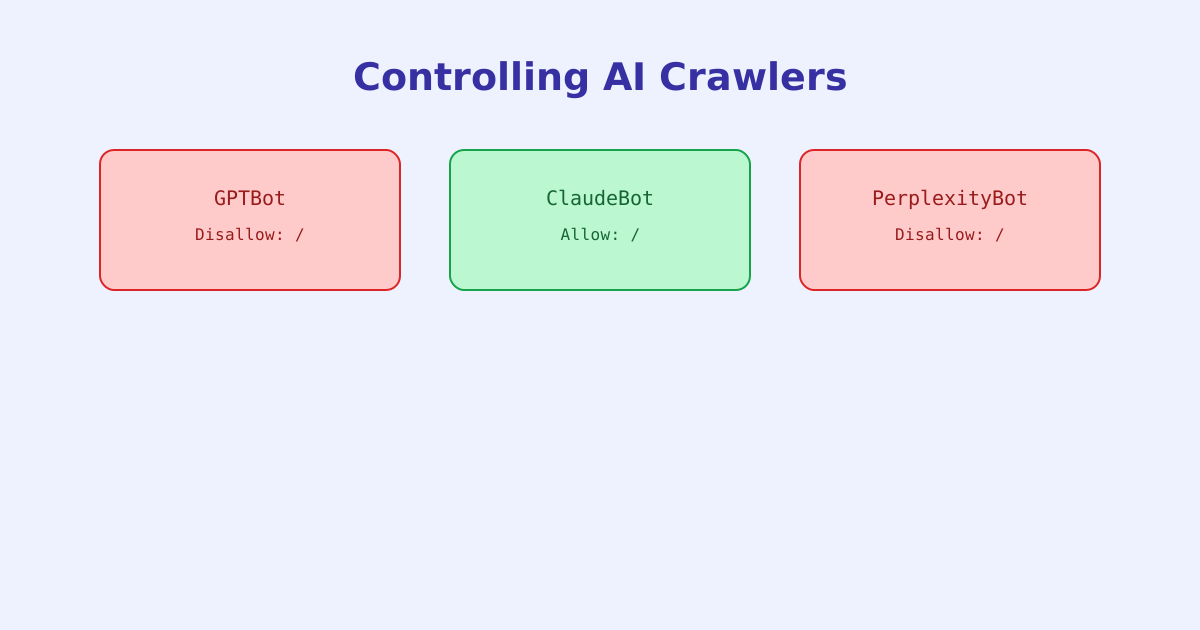
Robots.txt has existed for decades to manage traditional search crawlers, but a newer category of crawler, ones that collect content for AI model training or AI-generated answers, has added a new decision most sites haven’t had to make before: whether to allow bots like GPTBot, ClaudeBot, and PerplexityBot to fetch content at all. This guide covers how to write rules targeting these crawlers specifically, and what blocking or allowing them actually changes.
- AI crawlers are identified by their own named User-agent strings, like GPTBot, ClaudeBot, and PerplexityBot, separate from traditional search crawlers
- A rule scoped to one crawler's name has no effect on any other crawler, including the wildcard *
- Some companies operate more than one named crawler for different purposes, like training versus live browsing, which may need separate rules
- Blocking an AI crawler is a voluntary request the crawler chooses to honor, the same limitation that applies to robots.txt generally
- Named crawlers can change or be added over time, so a robots.txt written once can quietly become outdated
Why AI Crawlers Get Their Own Rules
A traditional User-agent: * block applies to any crawler without a more specific group of its own, which for years was enough for most sites, since search crawlers were the main audience. AI crawlers changed that by introducing a decision that a wildcard rule can’t express well: a site might be perfectly happy to be indexed by Google while wanting no part in AI model training, or the reverse. Targeting a specific crawler by name is the only way to make that distinction.
Writing Crawler-Specific Rules
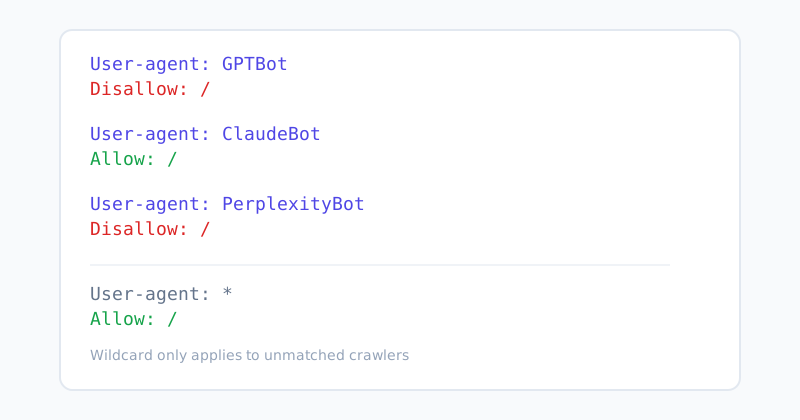
The syntax is identical to any other robots.txt group, just with the AI crawler’s specific user-agent name in place of * or a search engine’s name.
This example blocks GPTBot and PerplexityBot entirely, explicitly allows ClaudeBot, and leaves every other crawler, including regular search engines, unaffected by the wildcard group at the bottom. Because more specific groups take precedence over the wildcard for a crawler that matches them by name, GPTBot follows its own Disallow: / rule rather than the wildcard’s Allow: /, even though the wildcard technically appears in the same file.
One Company, Multiple Crawlers
A detail that catches people off guard: the crawler a company uses to gather training data and the crawler it uses for real-time browsing on a user’s behalf are often two separate, independently named user-agents, each documented and governed separately. Blocking one doesn’t automatically block the other, since to a parser they’re simply two different, unrelated names. Writing a rule against only one when the goal was to block both leaves a gap that isn’t obvious just by reading the file.
This is one of the better reasons to check current documentation or an up-to-date checking tool rather than relying on a fixed list written down once, since a company can introduce a new crawler under a new name at any time, and a robots.txt written before that point simply has no rule covering it either way.
What Blocking Actually Accomplishes (and What It Doesn’t)
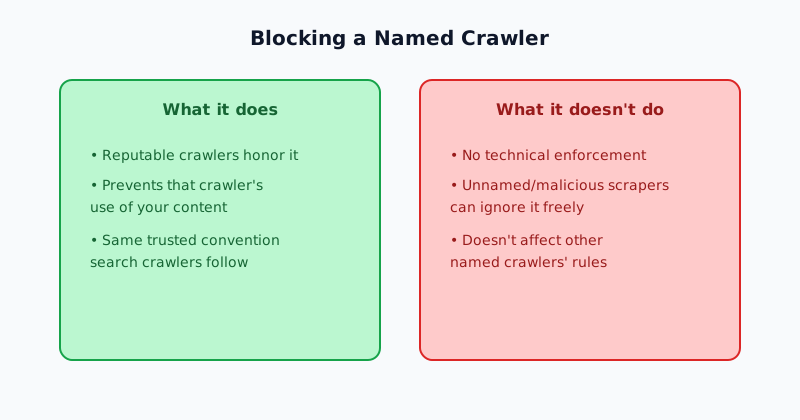
Blocking a specific, reputable AI crawler by name genuinely works, in the sense that companies operating well-known named crawlers generally do honor robots.txt rules targeted at them, the same voluntary-but-followed convention that’s applied to search crawlers for decades. What it doesn’t do is provide any technical enforcement. A disallowed crawler is choosing to comply, not being technically prevented from fetching the page, and a less scrupulous or unnamed scraper can simply ignore the rule entirely, the same limitation robots.txt has always had.
It’s also worth weighing the trade-off directly rather than defaulting to blocking everything: allowing AI crawlers is often what makes a site eligible to be cited as a source in AI-generated answers, while blocking protects against content being used without that visibility in return. Neither choice is universally correct, it depends on what a given site actually wants.
Checking a Site’s Current Configuration
Because named AI crawlers can be added, renamed, or documented differently over time, and because a rule aimed at one crawler has zero effect on any other, manually auditing a robots.txt file against a current list is easy to get subtly wrong. The AI Crawler Access Checker checks a live domain’s robots.txt against a current list of named AI crawlers and reports exactly which ones are allowed or blocked. For checking a specific rule’s effect on a specific URL and crawler in more general terms, the Robots.txt Tester covers that broader case.
The short version
AI crawlers like GPTBot, ClaudeBot, and PerplexityBot are controlled the same way as any other crawler in robots.txt, through their own specific User-agent groups, but they introduce a decision a simple wildcard rule can’t express: whether a site wants to be part of AI training or AI-cited answers at all. A rule aimed at one named crawler has no effect on any other, some companies run more than one crawler for different purposes, and blocking, like all of robots.txt, is a voluntary signal rather than a technical guarantee.