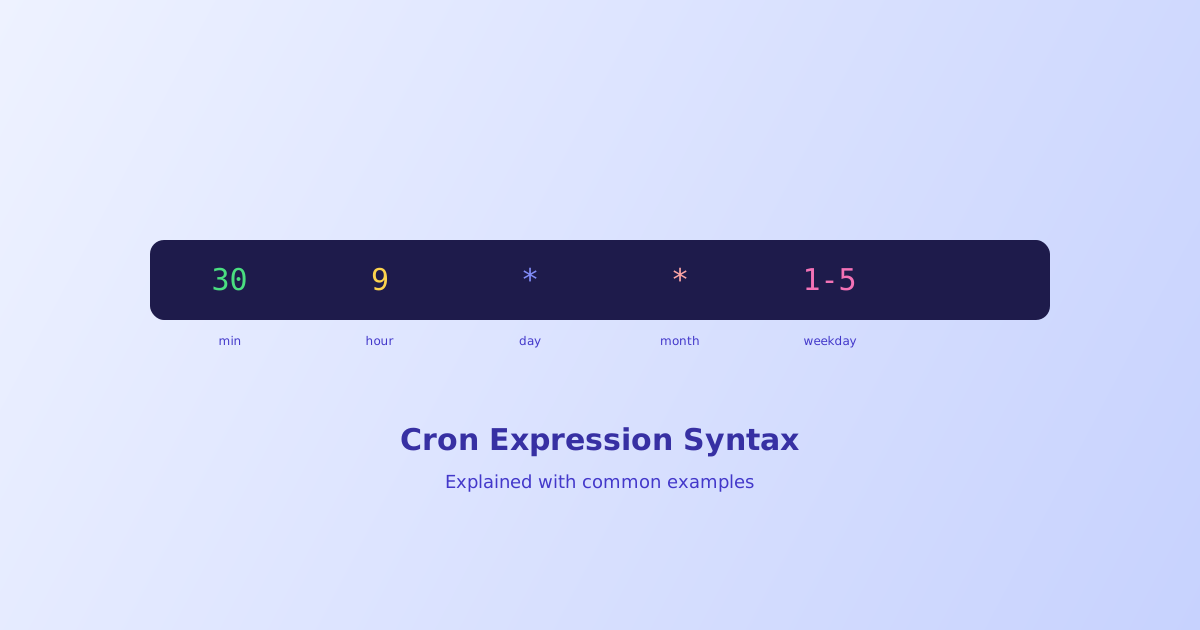
Cron expressions pack a full recurring schedule into five terse fields, which makes them compact but genuinely hard to read at a glance until the pattern clicks. This guide breaks down each field, what the special characters actually do, and a reference table of the schedules that come up constantly, so you don’t have to reverse-engineer one from scratch every time.
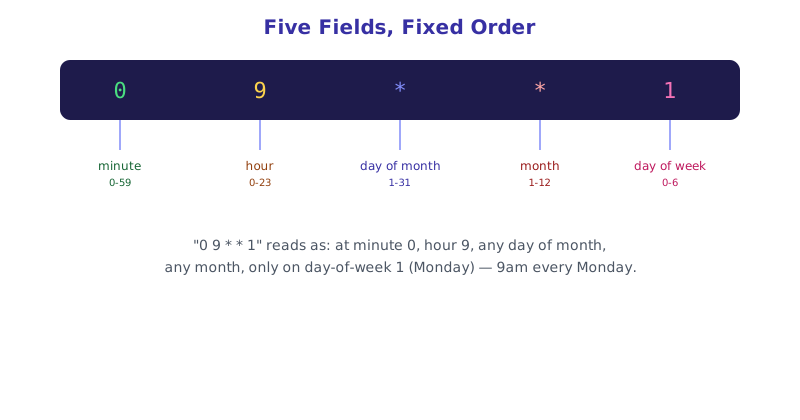
- A standard cron expression has five fields, in order: minute, hour, day of month, month, day of week
*means "every value" for that field; a comma lists specific values; a dash defines a range- A slash defines a step interval, like
*/15for "every 15 units" - Day of week runs 0-6 (Sunday to Saturday), though many parsers also accept 7 as an alias for Sunday
@daily,@hourly, and similar shortcuts are a common convenience extension, not part of the original five-field spec
The Five Fields, in Order
Every standard cron expression follows the same fixed field order. Getting the order wrong is one of the most common mistakes, since a misplaced value can silently produce a valid-looking expression that runs on a completely different schedule than intended.
| Field | Allowed values |
|---|---|
| Minute | 0-59 |
| Hour | 0-23 |
| Day of month | 1-31 |
| Month | 1-12 |
| Day of week | 0-6 (0 = Sunday), or 1-7 depending on the implementation |
The Special Characters
Four symbols do almost all the work in cron syntax, and combining them is what makes the format compact.
* (asterisk) — every possible value, no restriction at all in that field.
, (comma) — a list of specific values, for example 1,15 in the day-of-month field means only the 1st and the 15th.
- (dash) — an inclusive range, for example 9-17 in the hour field means every hour from 9am through 5pm.
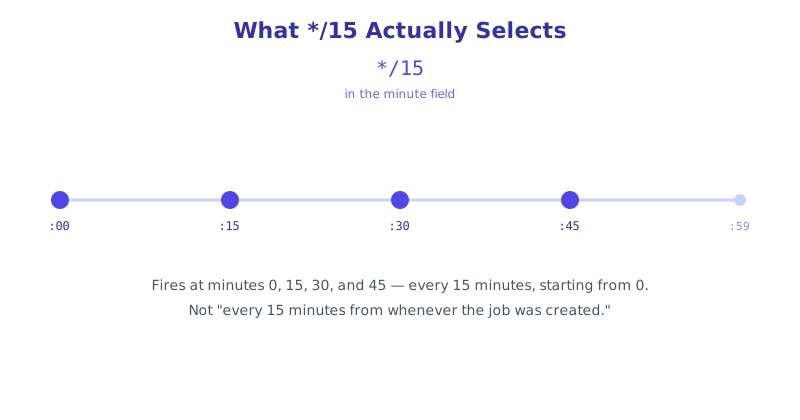
/ (slash) — a step interval, usually paired with * or a range. */15 in the minute field means every 15 minutes starting at 0; 9-17/2 means every 2 hours within the 9-to-17 range specifically.
Common Cron Expressions Reference
| Schedule | Expression |
|---|---|
| Every minute | * * * * * |
| Every 5 minutes | */5 * * * * |
| Every hour, on the hour | 0 * * * * |
| Every day at midnight | 0 0 * * * |
| Every day at 9:30am | 30 9 * * * |
| Every weekday at 9am | 0 9 * * 1-5 |
| Every Monday at 9am | 0 9 * * 1 |
| First day of every month at midnight | 0 0 1 * * |
| Every 6 hours | 0 */6 * * * |
| Twice a day, 8am and 8pm | 0 8,20 * * * |
Convenience Shortcuts
Many, though not all, cron implementations support a handful of named shortcuts that expand to a standard five-field expression:
@yearlyor@annually→0 0 1 1 *@monthly→0 0 1 * *@weekly→0 0 * * 0@dailyor@midnight→0 0 * * *@hourly→0 * * * *
These are a readability convenience layered on top of the standard fields, not a separate specification, and support for them varies by platform, so it’s worth confirming your specific scheduler accepts the shorthand before relying on it in production.
Building and Checking an Expression Without Guessing
Reading an unfamiliar cron expression correctly, or writing a new one without accidentally scheduling it for the wrong day, is easy to get subtly wrong by hand, especially once ranges and steps combine. The Cron Expression Parser translates a pasted expression into a plain-English description of exactly when it runs, and includes a visual builder mode for constructing one field by field without memorizing the syntax.
The short version
A cron expression is five fields in a fixed order, minute, hour, day of month, month, and day of week, built from four special characters: * for “every value,” , for a list, - for a range, and / for a step interval. The reference table above covers the schedules that come up most often, and the named shortcuts like @daily are a convenience layer that not every platform supports. When in doubt about what an expression actually does, translate it rather than guess, since a single misplaced field can silently point at the wrong day entirely.