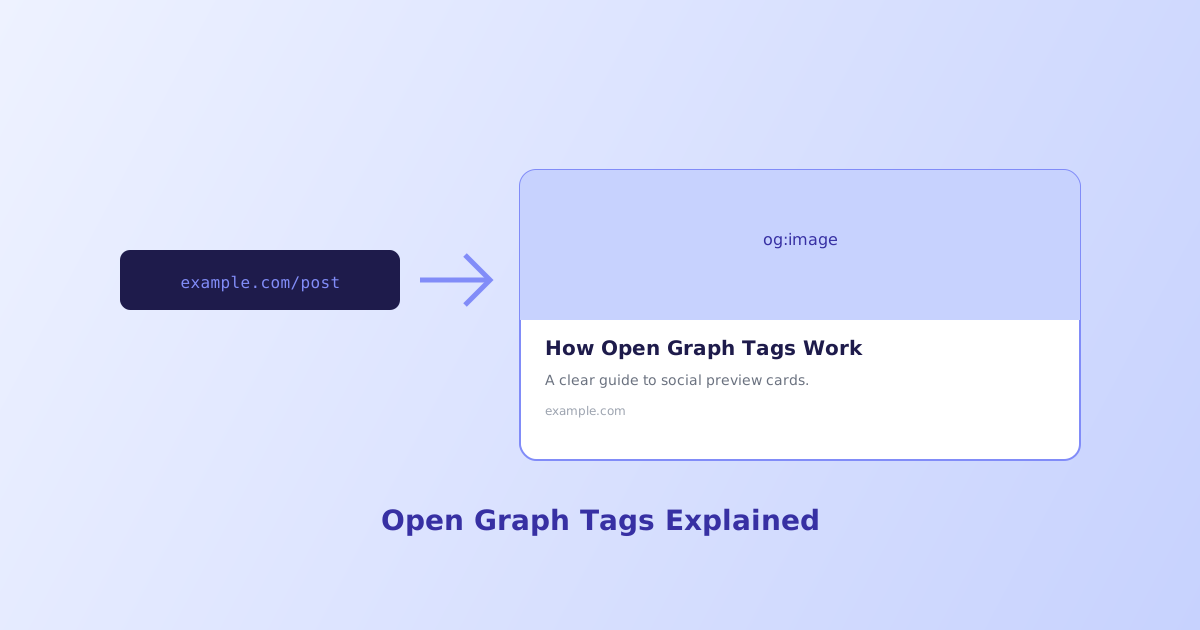
Paste a link into a chat app or social feed and, a moment later, a rich preview card appears, complete with an image, a headline, and a short description. That card isn’t generated automatically from the page’s content, it’s built almost entirely from a specific set of meta tags called Open Graph, and getting them wrong is why some shared links show a broken image or the wrong title entirely.
- Open Graph tags directly control the preview card shown when a link is shared, they aren't auto-generated from page content
- 1200×630 pixels (a 1.91:1 ratio) is the standard recommended size for
og:image og:imagemust be an absolute URL; a relative path often fails silently- Twitter/X falls back to standard Open Graph tags if dedicated
twitter:cardtags aren't present - Platforms cache scraped Open Graph data, updating your tags won't refresh an already-cached preview without forcing a re-scrape
The Core Open Graph Tags
A handful of tags, placed in the page <head>, are what most platforms actually read to build a preview card:
<meta property="og:title" content="How Open Graph Tags Work" />
<meta property="og:description" content="A clear guide to social preview cards." />
<meta property="og:image" content="https://example.com/images/preview.jpg" />
<meta property="og:url" content="https://example.com/open-graph-guide" />
<meta property="og:type" content="article" />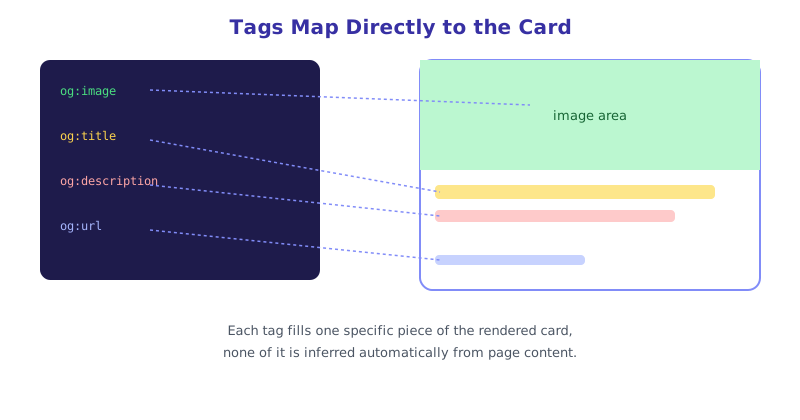
og:title and og:description don’t have to match the page’s regular <title> and meta description exactly, though they often do, since a preview card sometimes benefits from slightly different phrasing optimized for how it displays in a feed rather than a search result. og:type tells the platform what kind of content this is, website is a safe general default, article is common for blog posts and news, each type can unlock additional related tags a platform may use.
Getting og:image Right
The image is usually what makes or breaks a preview card visually, and it’s also the tag most likely to be set up wrong.
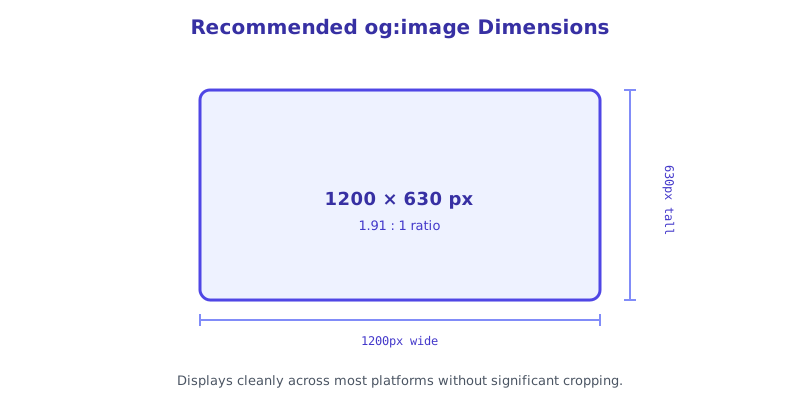
Use 1200×630 pixels. This gives a 1.91:1 aspect ratio that displays cleanly across most major platforms without significant cropping.
Always use an absolute URL. https://example.com/images/preview.jpg, not a relative path like /images/preview.jpg. The bots that scrape Open Graph tags don’t reliably resolve relative paths the way a browser does when rendering the actual page.
Keep important content centered. Even at the recommended ratio, some platforms crop slightly differently, so avoid putting critical text or faces right at the edges of the image.
How Twitter/X Cards Relate to Open Graph
Twitter (X) originally used its own separate tag set, and while it still supports dedicated tags, it also falls back to standard Open Graph tags when its own aren’t present:
<meta name="twitter:card" content="summary_large_image" />
<meta name="twitter:title" content="How Open Graph Tags Work" />
<meta name="twitter:image" content="https://example.com/images/preview.jpg" />
twitter:card set to summary_large_image is what triggers the large, prominent image layout rather than a smaller thumbnail alongside the text. Adding these dedicated tags isn’t required if standard Open Graph tags already exist, but it gives more direct control over exactly how a link appears specifically on that platform.
Why an Updated Preview Doesn’t Show Up Right Away
Most platforms scrape and cache a URL’s Open Graph data the first time that link is shared anywhere on their service, and don’t automatically re-check it on every subsequent share. Updating og:image on your live page afterward doesn’t retroactively refresh a preview that’s already been cached, the platform is still showing what it scraped the first time around. Each major platform provides its own tool for forcing a re-scrape, Facebook’s Sharing Debugger and similar tools elsewhere, and using one of these after a real content change is usually necessary to see the update reflected.
Building and Verifying Tags Without Guessing
Getting every property name exactly right, and remembering which tags need absolute URLs versus which don’t, is easy to get subtly wrong by hand across a whole site. The Open Graph Generator builds a complete, correctly formatted tag set from a simple form, and the Twitter Card Validator checks how a URL’s existing tags will actually render before you share it anywhere, catching a missing or malformed image URL before real visitors ever see a broken preview.
The short version
Open Graph tags, og:title, og:description, og:image, og:url, and og:type, directly control the preview card shown when a link is shared, rather than being auto-generated from page content. Use a 1200×630 image with an absolute URL, and remember that Twitter/X falls back to these same tags when its own twitter:card tags aren’t present. Because platforms cache scraped data, a genuine update to your tags may need a manual cache-refresh through that platform’s own debugging tool before the new preview actually shows up.