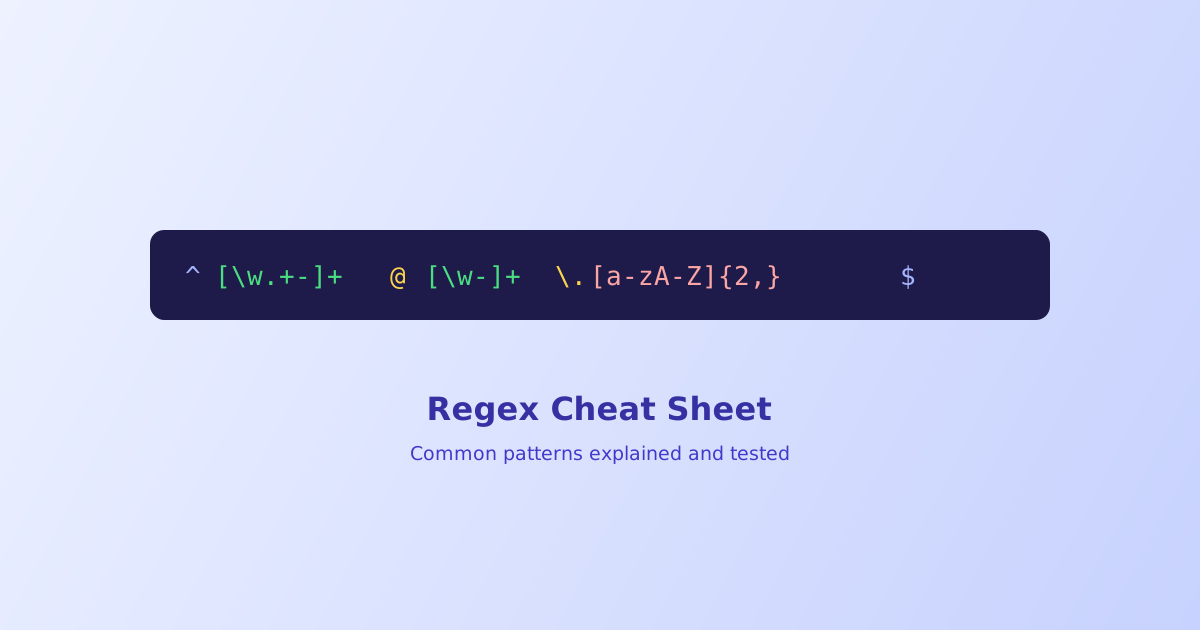
Regex syntax is dense enough that even people who use it regularly keep a reference open. This is that reference: a quick table of what each symbol means, a set of tested patterns for the matching tasks that come up constantly, and the handful of gotchas, like greedy matching and unescaped special characters, that account for most regex bugs in practice.
*means zero or more;+means one or more, a common source of bugs when mixed up- Quantifiers are greedy by default, matching as much as possible; adding
?after one makes it lazy instead ^and$anchor to the whole string by default, not each line, unless themflag is set- A handful of characters need escaping outside a character class:
. * + ? ( ) [ ] { } ^ $ |and the backslash itself - A regex email validator is a practical approximation, not a full RFC 5322 implementation, pair it with a confirmation email for real validation
Syntax Quick Reference
| Symbol | Meaning |
|---|---|
. |
Any character except a line break |
\d |
Any digit, equivalent to [0-9] |
\w |
Any word character, letters, digits, and underscore |
\s |
Any whitespace character, space, tab, or line break |
^ |
Start of the string (or line, with the m flag) |
$ |
End of the string (or line, with the m flag) |
* |
Zero or more of the preceding token |
+ |
One or more of the preceding token |
? |
Zero or one of the preceding token |
{n,m} |
Between n and m of the preceding token |
[abc] |
Any one character from this set |
[^abc] |
Any one character not in this set |
(...) |
A capturing group |
(?:...) |
A non-capturing group |
| |
Alternation, matches either side |
Tested Patterns for Common Matching Tasks
Each of these is a starting point that covers the common case, not a guaranteed-perfect validator for every edge case in its category.
| What it matches | Pattern |
|---|---|
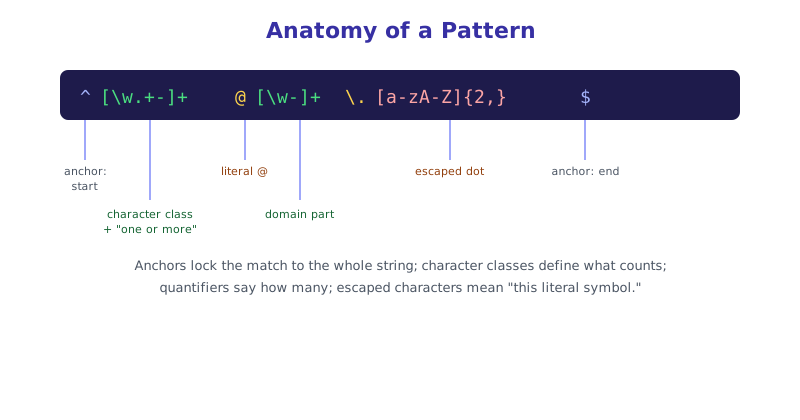
| Email (practical) | ^[\w.+-]+@[\w-]+\.[a-zA-Z]{2,}$ |
| URL (http/https) | ^https?:\/\/[\w.-]+\.[a-zA-Z]{2,}(\/\S*)?$ |
| US phone number | ^\(?\d{3}\)?[-.\s]?\d{3}[-.\s]?\d{4}$ |
| Hex color | `^#([0-9a-fA-F]{3} |
| IPv4 address | ^(\d{1,3}\.){3}\d{1,3}$ |
| Digits only | ^\d+$ |
| Whitespace-only string | ^\s*$ |
The IPv4 pattern above is intentionally simple, it correctly rejects things like letters, but it won’t catch an out-of-range value like 999.999.999.999 since checking each segment stays under 256 requires a considerably longer pattern than most day-to-day use actually needs.
The Greedy vs. Lazy Gotcha
By far the most common surprise in regex is a quantifier matching more text than intended. Quantifiers are greedy by default, they consume as much as possible while still letting the rest of the pattern succeed.
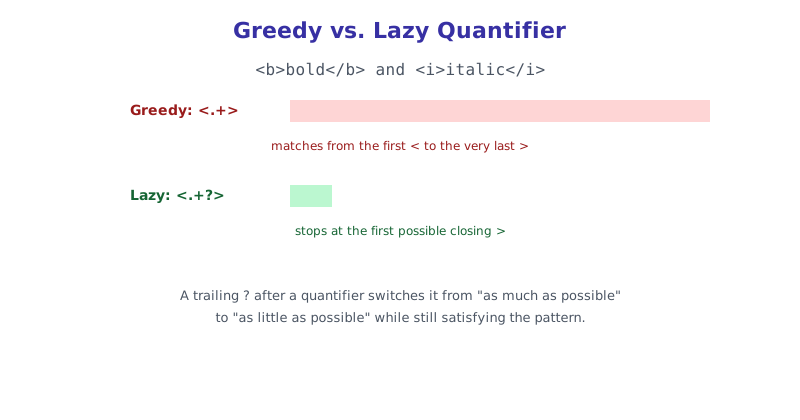
Given the text <b>bold</b> and <i>italic</i>, the pattern <.+> greedily matches from the very first < all the way to the very last >, swallowing both tags and everything between them. Adding a ? to make it lazy, <.+?>, matches only <b>, stopping at the first possible closing point instead. Whenever a match seems to be pulling in far more text than expected, a greedy quantifier consuming too much is almost always the cause.
Testing a Pattern Without Guessing
Writing regex correctly on the first try is rare even for people who use it daily, since small mistakes like a missing escape or a greedy quantifier are easy to miss just by reading the pattern. The Regex Tester & Builder highlights matches live as you type, against your own sample text, so you can see immediately whether a pattern is too loose, too strict, or matching the wrong part of the string entirely.
The short version
Regex is built from a small, reusable set of symbols, character classes like \d and \w, quantifiers like *, +, and {n,m}, and anchors like ^ and $, combined in different orders to describe a pattern. The patterns in the table above cover the matching tasks that come up most often, but treat them as practical starting points rather than exhaustive validators, especially for something like email where the real specification is far more permissive than any reasonable regex. When a match pulls in more text than expected, check for greedy quantifiers first, and test any pattern against real sample text before relying on it.