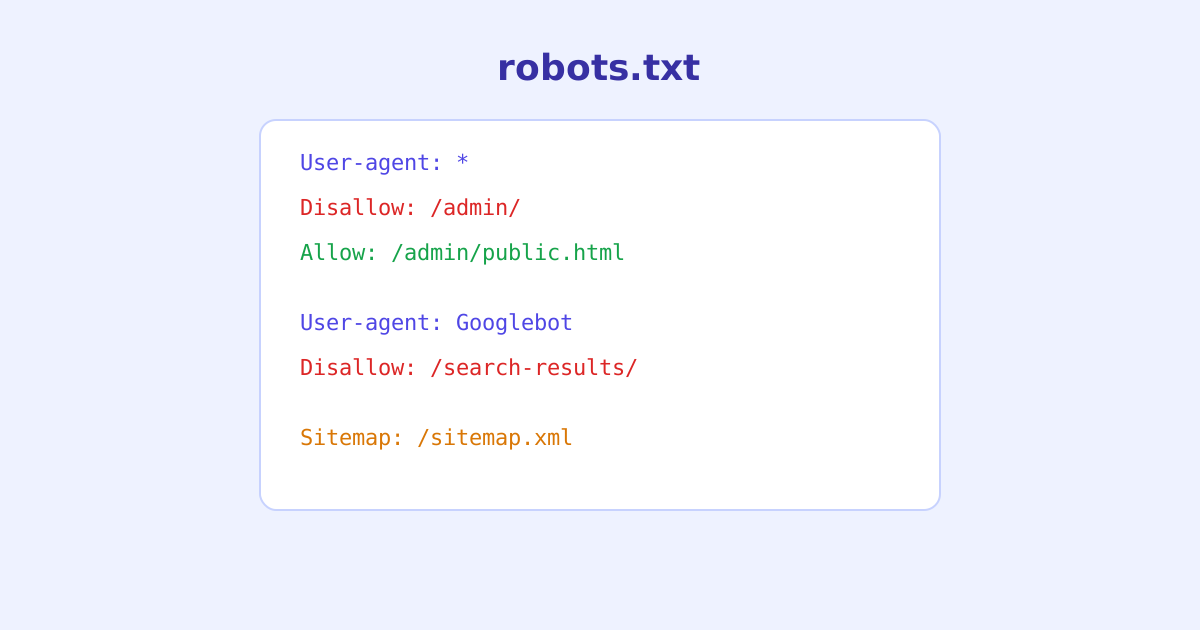
Robots.txt is one of the oldest and most misunderstood files on the web. It’s a plain text file with a small handful of directives, yet it’s easy to write a rule that blocks far more than intended, or one that looks restrictive but does nothing at all. This guide covers exactly how robots.txt syntax works, what each directive actually controls, and the mistakes that show up most often in real sites.
- Robots.txt controls crawling, not indexing, a disallowed page can still appear in search results under some conditions
- It's a voluntary convention with no technical enforcement, well-behaved crawlers follow it, others simply ignore it
- Rules are grouped by User-agent, and the most specific matching rule generally wins, not necessarily the first or last one
- A missing or empty robots.txt is treated as permission to crawl everything
- Sitemap directives apply globally to the whole file, regardless of where they're placed relative to User-agent blocks
What Robots.txt Actually Controls
Robots.txt lives at the root of a domain, example.com/robots.txt, and tells crawlers which parts of a site they’re welcome to request. It’s important to be precise about what that means: robots.txt governs crawling, the act of a bot fetching a URL, not indexing, whether that URL shows up in search results. A URL that’s disallowed but linked to from elsewhere can still be indexed by its URL alone, just without the page content a crawler was never allowed to read.
It’s also worth being clear that robots.txt is entirely voluntary. There’s no technical mechanism forcing a crawler to obey it, well-known, reputable crawlers do because ignoring it would be considered bad practice, but nothing stops a crawler, especially a malicious one, from requesting disallowed URLs anyway. It should never be treated as a way to actually secure or hide sensitive content.
The Core Syntax
A robots.txt file is organized into groups, each starting with one or more User-agent lines followed by the rules that apply to those crawlers.
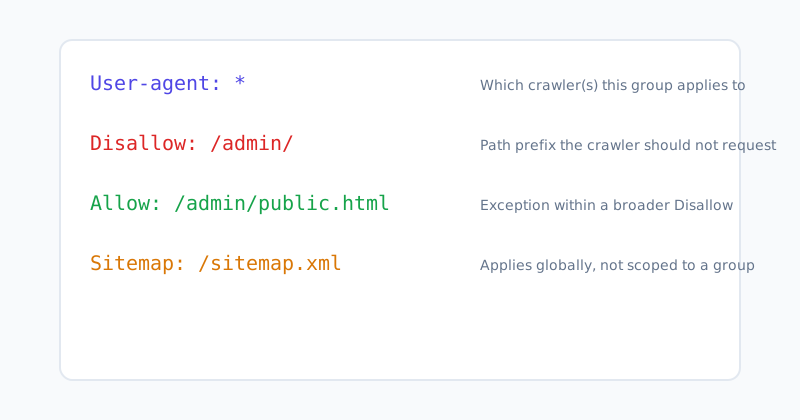
User-agent names which crawler the following rules apply to. * matches every crawler that doesn’t have its own more specific group elsewhere in the file. A specific name like Googlebot only applies to that crawler, and when a crawler has both a specific group and would otherwise match *, it follows its own specific group instead.
Disallow tells the matching crawler(s) not to request URLs starting with the given path. Disallow: /admin/ blocks everything under /admin/, including nested paths.
Allow carves out an exception within a broader Disallow, useful when most of a directory should stay blocked but one file inside it shouldn’t.
Sitemap points crawlers to a sitemap file’s location. Unlike User-agent, Disallow, and Allow, it isn’t scoped to any particular group, it applies to the file as a whole no matter where it appears.
How Conflicting Rules Are Resolved
When Allow and Disallow rules overlap for the same crawler, most modern crawlers resolve the conflict by using whichever rule has the longer, more specific matching path, not simply whichever rule appears first or last in the file.
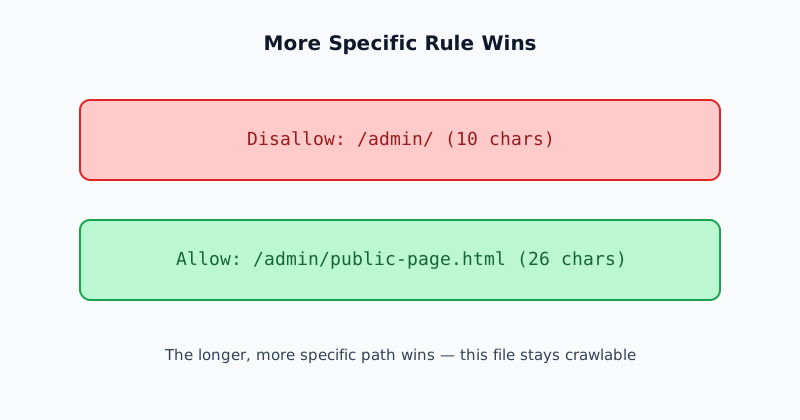
Given Disallow: /admin/ and Allow: /admin/public-page.html, the second rule’s path is longer and more specific, so /admin/public-page.html remains crawlable even though it sits inside a disallowed folder. This behavior isn’t part of the original, informal robots.txt convention, and not every parser implements it identically, which is exactly why testing a file’s real-world behavior matters more than reasoning through it by eye.
Common Mistakes
Blocking an entire site by accident. Disallow: / blocks everything on the domain. This is sometimes left over from a staging environment’s robots.txt that made it into production unnoticed, quietly telling crawlers to stay away from a live site.
Assuming Disallow prevents indexing. As covered above, a disallowed URL can still appear in search results by URL alone if it’s linked elsewhere. Actually preventing indexing requires a noindex directive on the page itself, which the crawler needs to be allowed to fetch in order to see.
Forgetting that paths are case-sensitive and prefix-based. Disallow: /Admin/ does not block /admin/, and Disallow: /file blocks /file, /file.html, and /files/anything, not just an exact match, since it’s a prefix, not a whole-path comparison.
Blocking CSS or JavaScript needed to render the page. Search engines render pages to understand layout and content, and blocking the assets required to do that can hurt how a page is understood and ranked, even though the HTML itself remains crawlable.
Not testing against the actual crawler in question. A rule written for User-agent: * behaves differently once a crawler-specific group exists elsewhere in the file, and it’s easy to add a new group without noticing it changes how an existing bot is treated.
Checking a Real File Instead of Guessing
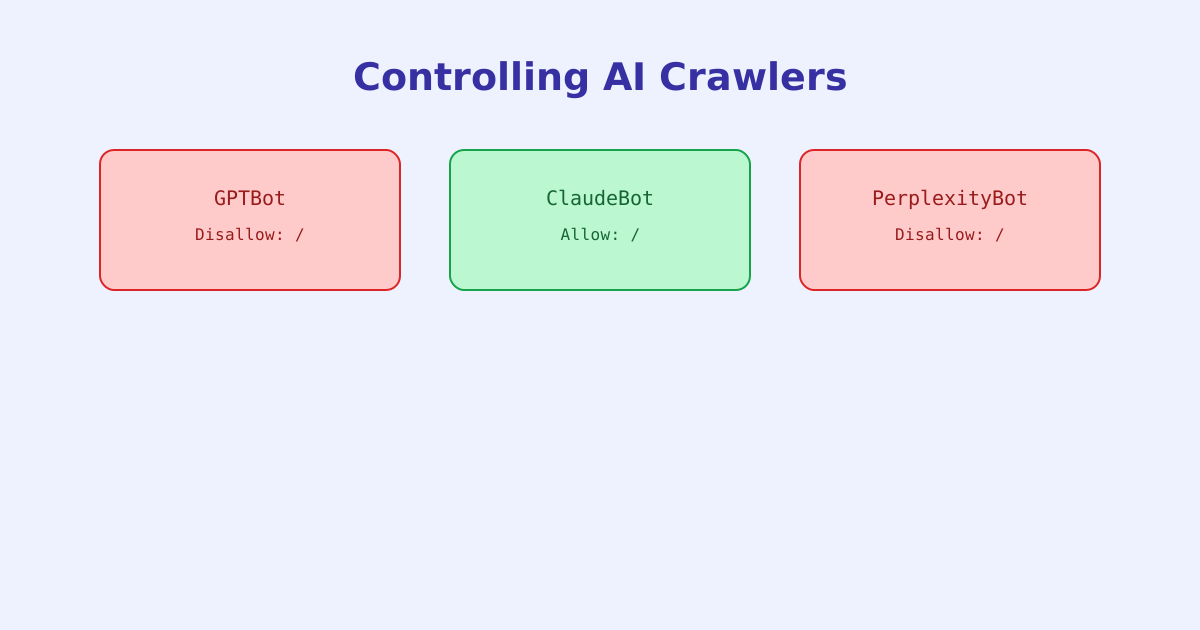
Robots.txt syntax looks simple, but the interaction between multiple groups, specificity rules, and crawler-specific behavior makes it easy to write something that doesn’t do what it looks like it does. The Robots.txt Tester checks a live domain’s actual robots.txt (or a pasted draft) against a specific crawler’s user-agent and reports exactly which rule wins for a given URL. If the concern is specifically AI crawlers rather than traditional search bots, the AI Crawler Checker checks a domain’s stance toward named AI crawlers directly.
The short version
Robots.txt is a small, plain-text convention with just a few directives, User-agent, Disallow, Allow, and Sitemap, but its rule-resolution behavior (most specific match wins) and its limits (it governs crawling, not indexing, and isn’t enforced on bots that choose to ignore it) are easy to get wrong. Testing a file’s actual effect against a real crawler and a real URL is far more reliable than reasoning through the rules by eye.