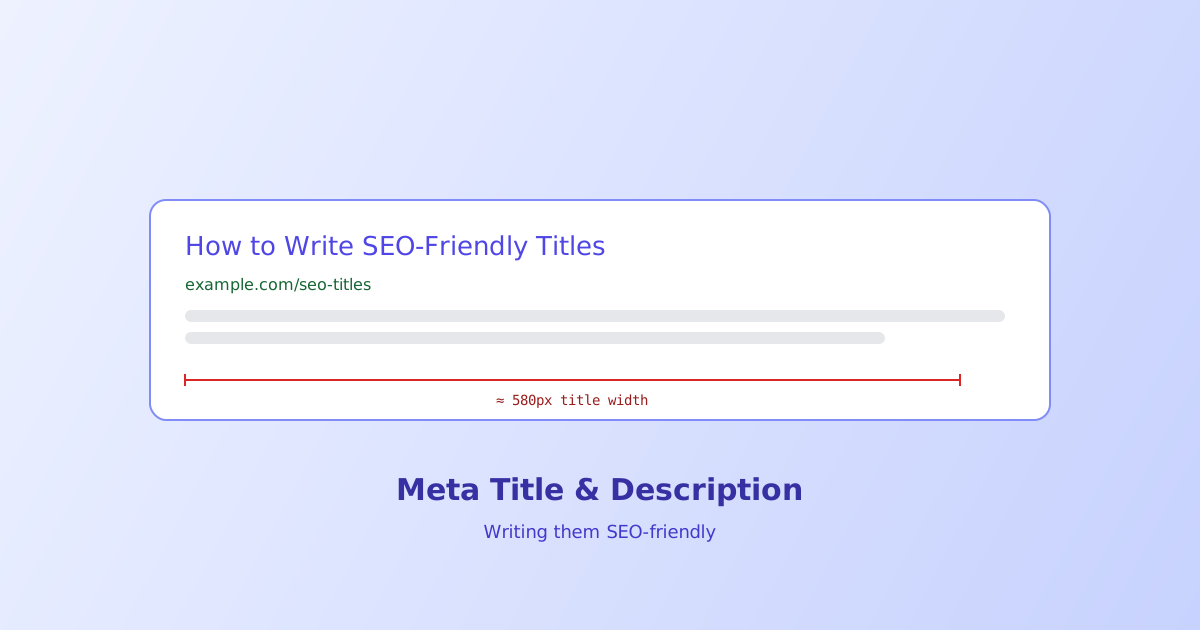
A meta title and description are a page’s pitch in search results, and they’re judged in a fraction of a second by someone scanning a list of blue links. Get the length wrong and search engines chop it off mid-sentence; get the copy wrong and even a perfectly sized snippet won’t earn the click. This guide covers both the technical limits and what actually makes people choose one result over another.
- Search engines truncate by pixel width, not character count, so a character limit is only ever a rough guideline
- Roughly 60 characters for a title and 155-160 for a description keeps most snippets from being cut off in practice
- Front-load the primary keyword since titles truncate from the right when they run too long
- A meta description isn't a ranking factor directly, but it drives click-through rate, which matters regardless
- Search engines sometimes rewrite the displayed description using on-page text if it better matches the query
Why Pixel Width, Not Character Count, Actually Matters
Search engines truncate titles and descriptions based on how much horizontal space the rendered text takes up, not how many characters it contains. This is why two titles with the identical character count can behave differently, one full of wide letters like W, M, and capital letters generally, and another full of narrow letters like i, l, and t, will occupy noticeably different amounts of pixel space for the same character count.
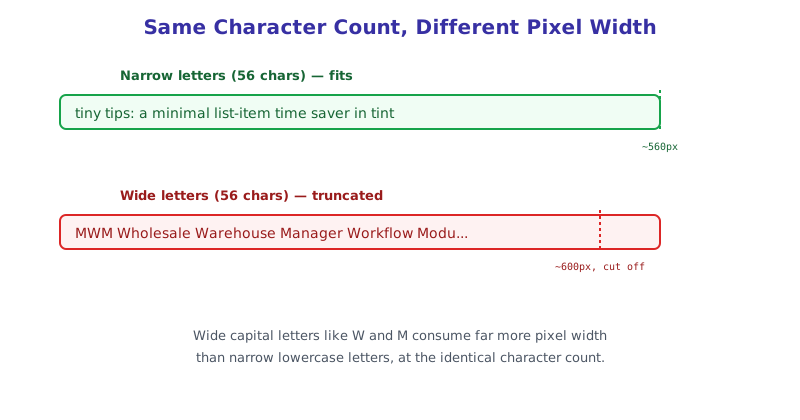
That’s why character-count guidelines are always approximate. Staying under roughly 60 characters for a title and 155-160 for a description works as a practical rule of thumb for most fonts search engines actually render with, but a title packed with wide capital letters can still get cut off well under that character count, while a title full of narrow lowercase letters might fit with room to spare even slightly over it.
Writing a Title That Doesn’t Get Cut Off
Beyond raw length, where the important information sits in the title matters just as much, since truncation happens from the right side when a title runs too long.
- Front-load the primary keyword or main topic. If truncation happens, what gets cut is the end, not the beginning, so put what matters most first.
- Keep the brand name at the end, if included at all. A trailing “ | Your Brand Name“ is the safest thing to lose to truncation, since the page’s actual topic has already been communicated by that point.
- Avoid stuffing multiple keyword variations in. One clear, specific title beats several overlapping keyword phrases crammed together, both for how it reads and for triggering keyword-stuffing quality signals.
Writing a Description That Earns the Click
Unlike the title, the description has no direct ranking influence, but it’s often the single biggest factor in whether someone clicks a result ranked #3 over the one ranked #2 sitting right above it.
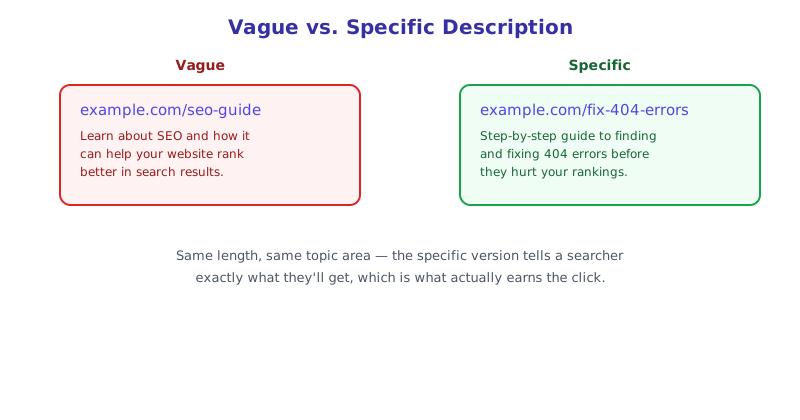
- State what the page actually delivers, specifically. “Learn about SEO” tells a searcher almost nothing; “A step-by-step guide to fixing 404 errors before they hurt your rankings” tells them exactly what they’ll get.
- Match search intent. A description for a how-to guide should sound like a how-to guide; a description for a product page should mention price, availability, or a key differentiator, whatever a searcher with that specific intent is actually scanning for.
- Don’t rely on it being shown verbatim. Search engines will sometimes swap in text pulled directly from the page instead, when they judge it matches a specific query better, so a strong description is a strong suggestion, not an unconditional guarantee of what displays.
Previewing Before You Publish
Since truncation depends on rendered pixel width rather than a fixed character count, the only reliable way to know whether a specific title and description will fit is to actually render them the way a search engine would, rather than counting characters and hoping. The SERP Snippet Preview renders a live preview using the same approximate width search engines use, showing exactly where truncation would happen before the page ever goes live.
The short version
Meta titles and descriptions get truncated by pixel width, not character count, which is why character limits are always approximate guidelines rather than hard rules, roughly 60 characters for a title and 155-160 for a description is a reasonable starting point. Front-load the important keyword in the title since truncation cuts from the right, and write descriptions that specifically state what the page delivers rather than vague filler, since the description’s real job is earning the click, not directly influencing rank. Preview both before publishing rather than relying on a character count alone.