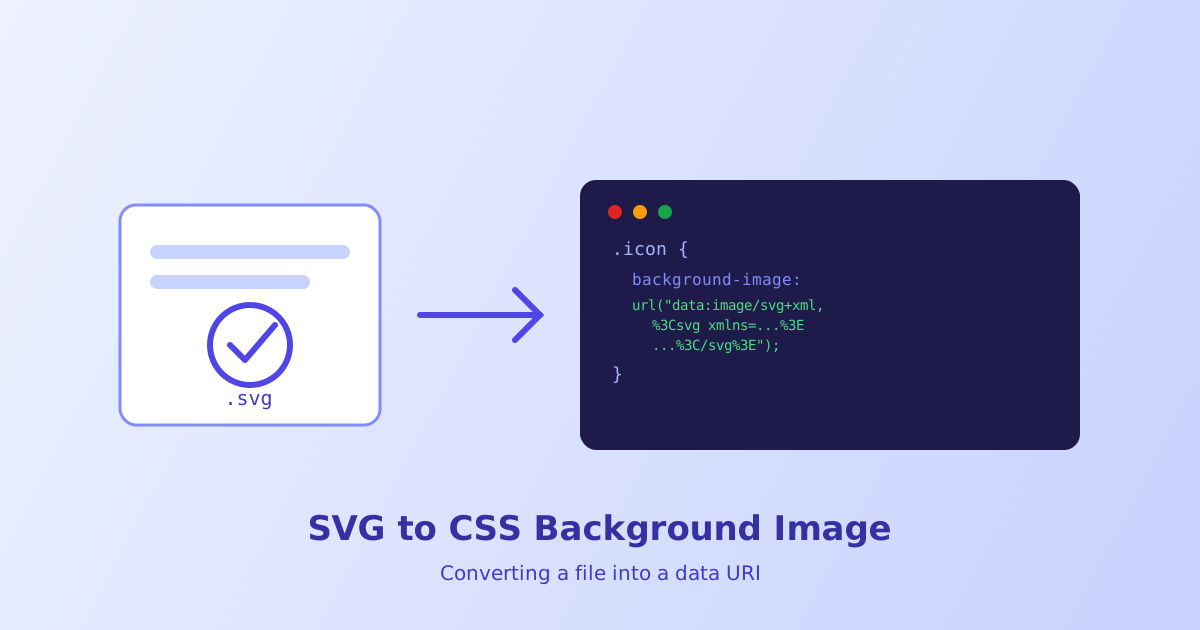
If you’ve ever added an icon to a button with background-image: url('icon.svg'), you’ve made the browser fire off a second HTTP request just to fetch a few hundred bytes of markup. A CSS data URI skips that request entirely by embedding the SVG’s actual code directly inside your stylesheet. This guide walks through exactly how that works, when it’s the right call, and how to generate one without hand-encoding a string full of percent signs.
- A CSS data URI embeds an SVG's actual markup inside a `url()` value, so the browser doesn't need a separate file request
- URL-encoding is almost always smaller than base64 for SVG, because SVG is plain text
- Data URIs are best for small, one-off icons, not for SVGs reused across many pages
- Special characters like `#`, `"`, and `<` must be percent-encoded or the CSS will silently fail
- Anything larger than a few KB starts working against the performance benefit you were chasing
What Is a CSS Data URI, and Why Put an SVG Inside One?
A data URI is a way of representing a file’s contents as a string of text, right where a URL would normally go. Instead of pointing your browser to /icons/arrow.svg and waiting for a response, you hand it the SVG’s markup directly, encoded so it survives being inside a CSS value. The browser decodes it on the spot and renders it exactly like a normal image.
The appeal for SVG specifically is that SVG markup is already text, unlike a PNG or JPEG. That means there’s no binary-to-text conversion overhead the way there is with photos, and a well optimized SVG can often be inlined for barely more bytes than the file itself takes on disk. Running the source through the SVG Optimizer first is worth doing before encoding, since every stray attribute or unnecessary decimal point gets duplicated into your CSS file.
URL-Encoding vs Base64 — Which Should You Use?
There are two common ways to encode a data URI’s payload: URL-encoding (percent-encoding the special characters and leaving the rest as readable text) and base64 (converting everything into a dense block of letters, numbers, and a few symbols). For SVG, URL-encoding almost always wins.
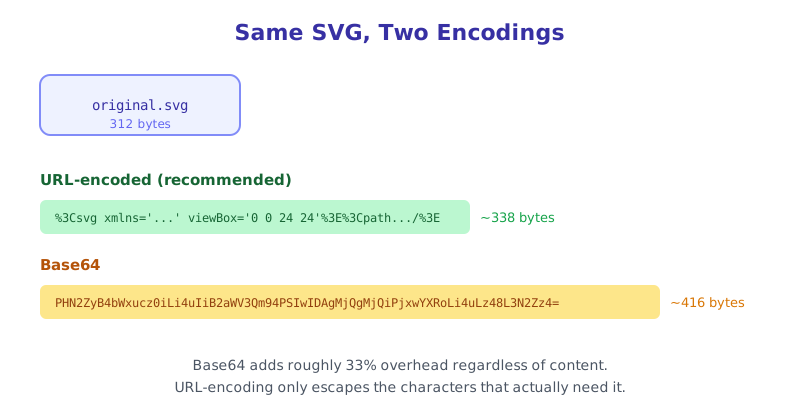
Base64 inflates any input by around 33%, because it’s designed for binary data where there’s no cheaper option. SVG doesn’t have that constraint — it’s already text, so only a handful of characters actually need escaping. The trade-off is that base64 is a fixed, predictable size regardless of content, while a URL-encoded string’s size depends on how many special characters your specific SVG happens to contain. In practice, URL-encoding comes out smaller for the vast majority of real-world icons.
Step-by-Step: Converting Your SVG to a CSS Background Image
- Clean up the SVG first. Strip editor cruft (
xmlns:xlinkyou don’t use, empty<defs>, excess decimal precision) with the SVG Optimizer or SVG Code Editor, since every byte you remove here is a byte you don’t have to encode. - Validate the markup. Run it through the SVG Viewer & Validator to confirm it has a proper
viewBoxand no malformed XML, which can otherwise fail silently once it’s buried inside a CSS string. - Encode it. Paste the cleaned SVG into the SVG to CSS Data URI tool, which handles percent-encoding the special characters correctly and gives you both URL-encoded and base64 output to compare.
- Paste the result into your CSS. Drop the generated value straight into a
background-imagedeclaration, as shown below. - Check it renders. Open the page and confirm the icon appears at the expected size — data URIs still respect
background-size,background-position, andbackground-repeatexactly like a normal image file.
.icon-search {
  background-image: url("data:image/svg+xml,%3Csvg xmlns='http://www.w3.org/2000/svg' viewBox='0 0 24 24'%3E%3Cpath d='...'/%3E%3C/svg%3E");
  background-size: contain;
  background-repeat: no-repeat;
  width: 24px;
  height: 24px;
}
When Inlining Actually Hurts Performance
Skipping an HTTP request sounds like a pure win, but it isn’t always one. A data URI can’t be cached on its own — it’s baked into whichever CSS file it lives in, so every page that loads that stylesheet downloads the icon’s bytes again, even if the icon never changes.
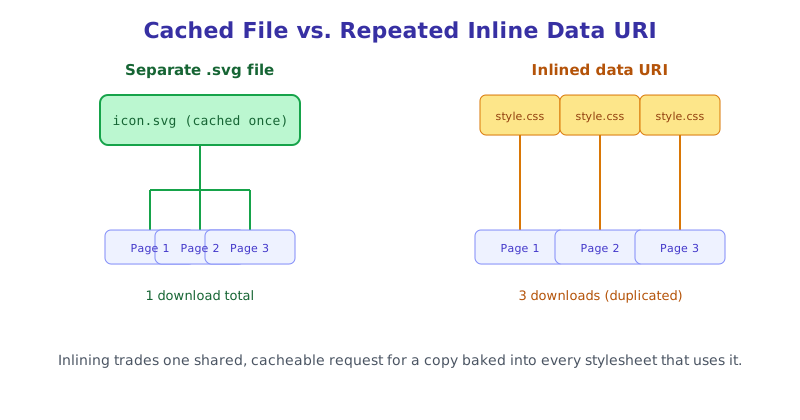
As a rough guideline: inline an SVG when it’s small (well under 1KB after encoding), used in only one or two places, and unlikely to change often. Keep it as a separate .svg file when it’s reused site-wide, like a shared logo or a repeated icon set, where one cached file beats several duplicated inline copies.
Data URI in CSS vs <img> vs Inline <svg>
The same encoded string works as a background-image, but it also works directly in an <img> tag’s src attribute:
<img src="data:image/svg+xml,%3Csvg xmlns='http://www.w3.org/2000/svg' viewBox='0 0 24 24'%3E...%3C/svg%3E" alt="Search" width="24" height="24" />Both approaches treat the SVG as a static, non-interactive image. If you need to target parts of the SVG with CSS, such as changing a fill color on :hover, neither a data URI background-image nor a data URI <img> will let you do that. That only works with an inline <svg> element written directly in your HTML, since the browser only exposes an SVG’s internal structure to CSS selectors when it’s part of the actual DOM.
The short version
A CSS data URI lets you embed an SVG’s markup directly inside a background-image value, skipping the extra HTTP request a separate file would need. URL-encoding is almost always the better choice over base64 for SVG since the markup is already plain text, but the special characters still need careful escaping, which is why running your SVG through an SVG to CSS Data URI tool beats typing the encoded string by hand. Reach for this technique on small, one-off icons that won’t be reused across many pages; for anything shared site-wide, a real cacheable .svg file still wins.