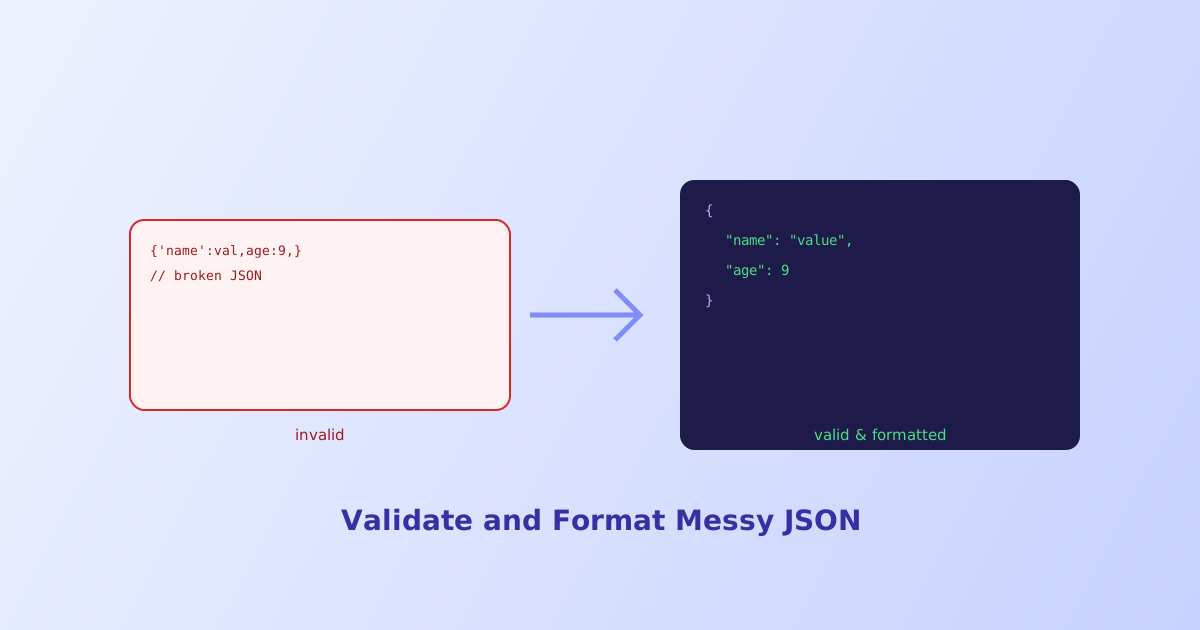
JSON looks simple enough to write by hand, right up until a missing quote or a stray comma breaks the whole thing and the error message points at a character position instead of telling you what’s actually wrong. This guide covers the handful of mistakes that account for nearly every JSON parsing failure, plus the difference between formatting JSON for humans and formatting it for machines.
- JSON is a stricter subset of JavaScript object syntax, several things valid JS allows aren't valid JSON
- Trailing commas, single quotes, unquoted keys, and comments are the most common causes of a failed parse
- Minifying removes whitespace for smaller file size; pretty-printing adds it for readability, same data either way
- Duplicate keys usually aren't a parse error, most parsers just silently keep the last one
- A parser's error position often points near, not exactly at, the actual mistake
The Four Mistakes That Cause Most JSON Errors
JSON borrows its look from JavaScript object and array literals, but the JSON specification itself is much stricter. These four differences account for the overwhelming majority of real-world parsing failures.
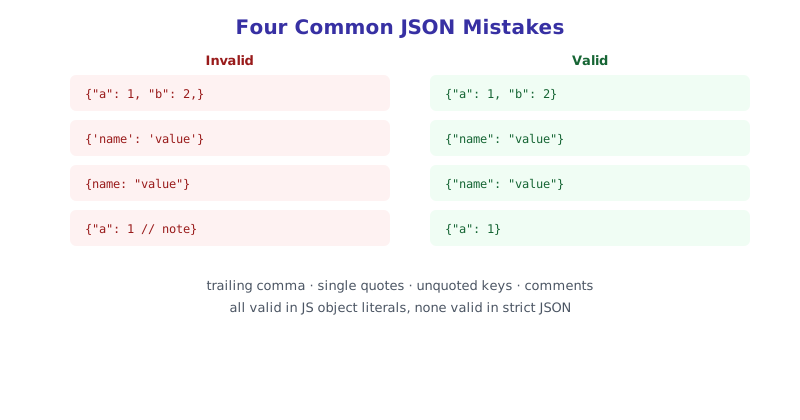
Trailing commas. {"a": 1, "b": 2,} fails because of the comma after 2. JavaScript tolerates this in an object literal; JSON does not, at all.
Single quotes. {'name': 'value'} fails because JSON strings and keys must use double quotes exclusively. Single quotes are common in JavaScript source but aren’t valid JSON syntax under any circumstance.
Unquoted keys. {name: "value"} fails because every key in a JSON object must be a quoted string, even when it would be a valid identifier on its own. JavaScript allows bare identifier keys; JSON requires the quotes.
Comments. {"name": "value" /* note */} fails because JSON has no comment syntax at all, neither // nor /* */. Anything resembling a comment will be treated as invalid, unexpected content by a strict parser.
Why the Error Message Points at the Wrong Spot
A JSON.parse error like Unexpected token } in JSON at position 47 names a character position, but that position is usually where the parser first noticed something was wrong, not necessarily where the actual mistake is. A trailing comma, for instance, often gets reported at the closing brace or bracket that follows it, since the parser was still expecting another value when it hit the comma and then found the closer instead.
This is one of the more frustrating parts of debugging JSON by hand, since fixing the character the error names doesn’t always fix the problem, the actual issue is often a few characters earlier.
Formatting for Humans vs. Formatting for Machines
Once JSON is valid, there are still two very different ways to format it, depending on who’s going to read it next.
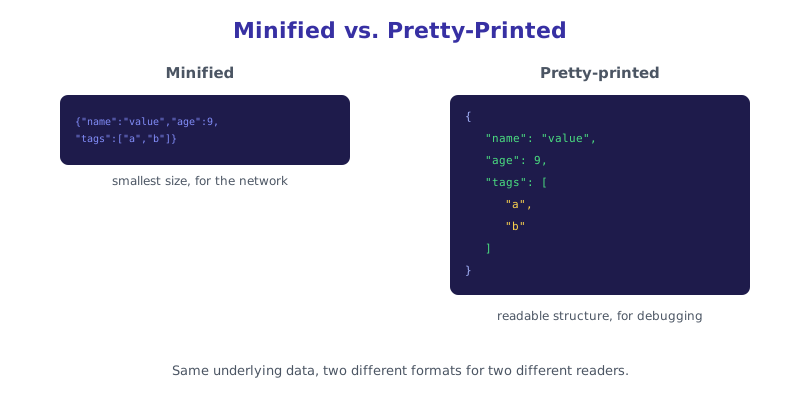
Minified JSON strips every unnecessary space, tab, and line break, producing the smallest possible byte count. This is what you want for JSON traveling over a network in an API response, where every extra byte adds up across thousands of requests, but it’s nearly unreadable if you’re trying to debug it by eye.
Pretty-printed JSON adds consistent indentation, typically two or four spaces per nesting level, and a line break after each property. This is what you want while developing, debugging, or documenting, at the cost of a noticeably larger file size that you’d never want to actually ship over the wire.
// Pretty-print with 2-space indentation
JSON.stringify(data, null, 2);

// Minify (the default with no third argument)
JSON.stringify(data);
Validating and Formatting Without Guessing by Eye
Manually scanning a large JSON blob for a single missing comma or stray quote is slow and error-prone, especially once nesting gets a few levels deep. The JSON Formatter & Validator parses pasted JSON, points out exactly what’s invalid and why in plain language rather than just a character offset, and can instantly toggle the same valid data between pretty-printed and minified output.
The short version
Most JSON parsing failures trace back to one of four differences from JavaScript object syntax: trailing commas, single quotes, unquoted keys, or comments, none of which strict JSON permits. When a parser reports an error position, treat it as a starting point for investigation rather than the exact location of the mistake, since the real issue often sits a few characters earlier. Once JSON is valid, minify it for anything traveling over a network and pretty-print it for anything a human needs to read, the underlying data is identical either way.