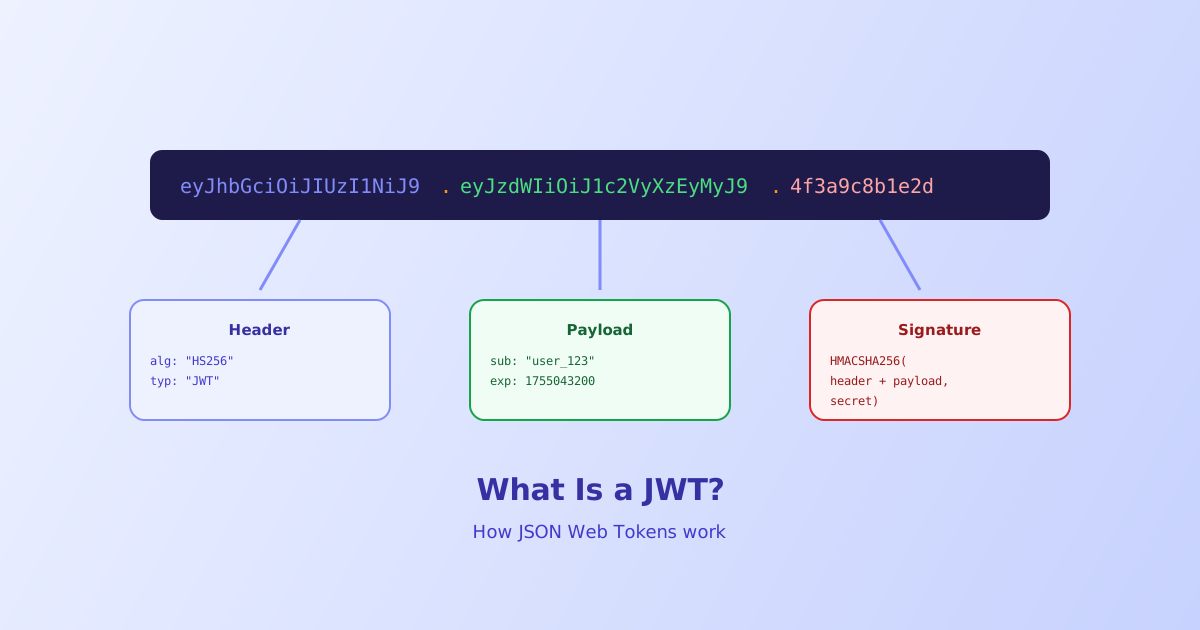
A JWT looks like a long, unreadable string of random characters, but it’s actually three separate pieces of readable JSON stuck together with dots. Once you know how to split it apart, decoding one takes seconds, no library required. This guide walks through what each piece actually contains, why the whole thing is signed instead of encrypted, and where that distinction matters in practice.
- A JWT is three base64url-encoded parts separated by dots:
header.payload.signature - The header and payload are only encoded, not encrypted, so anyone can read their contents
- The signature proves the token wasn't tampered with; it doesn't hide anything
- Never put passwords or private data in a JWT payload, treat it as publicly readable
- Claims like
exp(expiration) are just values a server chooses to check, not something the format enforces on its own
The Three Parts of a JWT
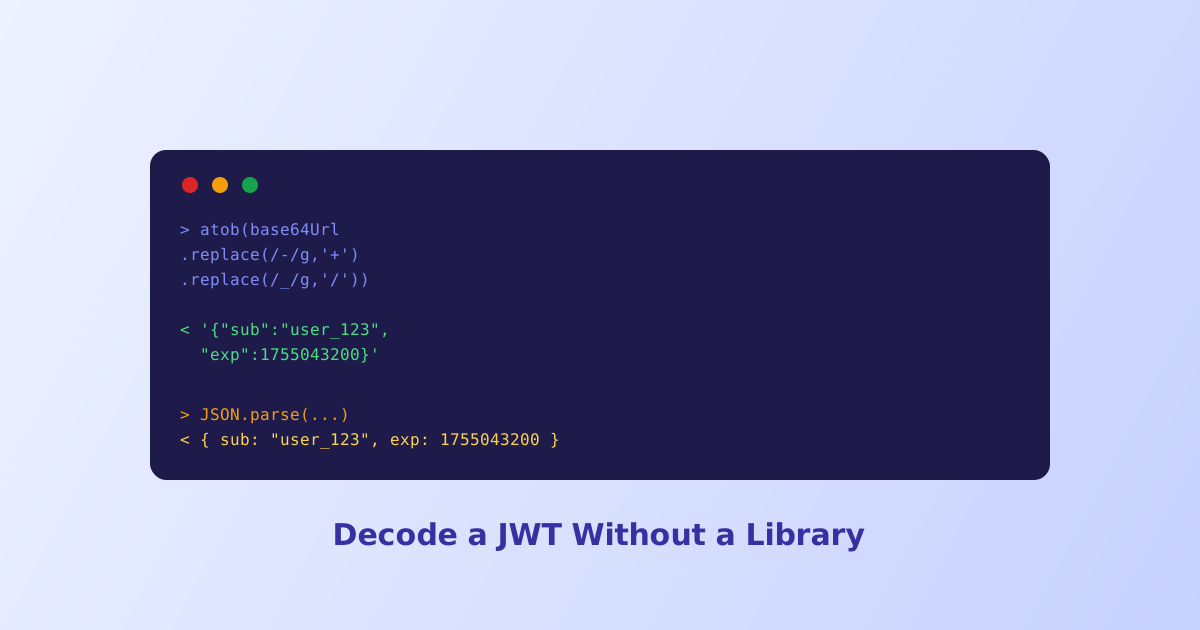
Every JWT follows the same structure: three base64url-encoded segments joined by periods, header.payload.signature. Split on the dots and decode each segment, and you get three separate pieces of information.
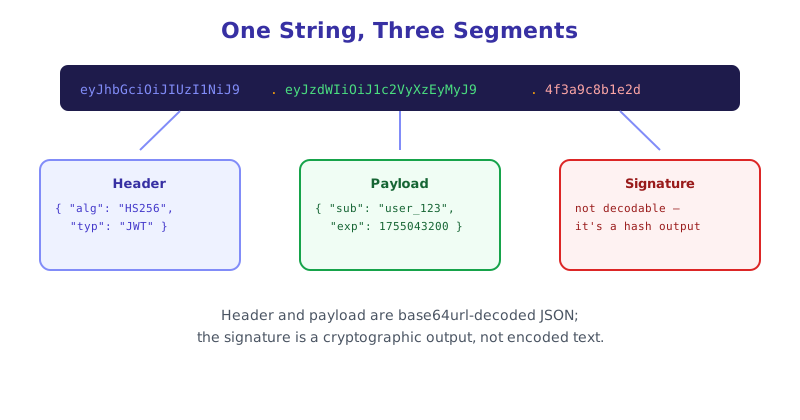
Header — a small JSON object naming the signing algorithm and token type, typically something like {"alg":"HS256","typ":"JWT"}. The verifying server reads this to know which algorithm to use when checking the signature.
Payload — the actual data, called claims, that the token is carrying. This might include a user ID, an expiration timestamp, or custom application data, for example {"sub":"user_123","role":"editor","exp":1755043200}.
Signature — a cryptographic value computed from the header, the payload, and a secret key the server holds. This is the part that makes the token trustworthy, and it’s the only part of the three that can’t simply be decoded back into something readable, since it’s the output of a signing algorithm rather than encoded JSON.
Signed, Not Encrypted: Why This Distinction Matters
The most common misunderstanding about JWTs is treating them like an opaque, secure container. They aren’t. Base64url encoding is a reversible transformation, not encryption, meaning anyone with the token, including the browser it’s stored in, can decode the header and payload instantly without any key at all.
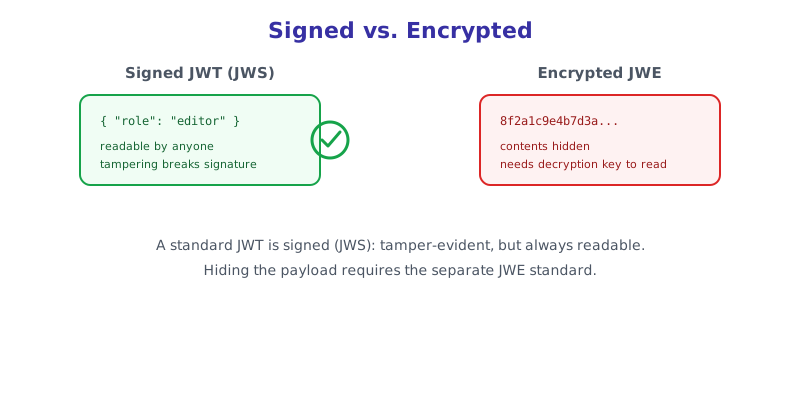
What the signature protects against is modification, not exposure. If someone intercepts a JWT and changes the payload, for example editing "role":"editor" to "role":"admin", the signature computed for the original payload will no longer match, and a properly implemented server will reject the token outright. But that same someone could always read the original "role":"editor" value in the first place, since it was never hidden to begin with.
This is why JWT payloads should only ever contain data that’s safe to be public: user IDs, roles, or non-sensitive claims. If a payload genuinely needs to be hidden, that requires a different mechanism, JSON Web Encryption (JWE), which is a separate, less commonly used standard from the signed JWTs (technically JWS) covered here.
How a Server Actually Verifies a Token
When a client sends a JWT back to a server, typically in an Authorization: Bearer <token> header, the server doesn’t need to look anything up in a database to check whether the token is legitimate. It recomputes the signature itself:
- Split the token on its two dots into header, payload, and signature.
- Take the original header and payload, and run them through the same signing algorithm named in the header, using the server’s own secret key.
- Compare that freshly computed signature to the signature that came with the token.
- If they match, the token hasn’t been altered since it was issued. If they don’t, reject it.
This is what makes JWTs useful for stateless authentication: the server doesn’t need to store session state anywhere, the token itself carries everything needed to verify it, as long as the server still holds the same secret key that created it.
Common Claims You’ll See in a Payload
A handful of standard claim names show up across most JWTs, though none of them are strictly required by the format itself:
sub— subject, usually the user ID the token representsiss— issuer, identifying which service created the tokenexp— expiration time, as a Unix timestampiat— issued-at time, when the token was createdaud— audience, which service or application the token is intended for
None of these are enforced automatically. A server that never checks exp will accept an expired token indefinitely, since expiration is a value the verification logic is expected to compare against the current time, not a built-in expiry mechanism.
Decoding a JWT Yourself
Manually base64url-decoding two segments and formatting the JSON by hand works, but it’s tedious and easy to mess up, especially with padding differences between standard base64 and base64url. Pasting a token into the JWT Decoder splits it into header and payload instantly, formats both as readable JSON, and flags common issues like an already-expired exp claim, without ever sending the token anywhere since decoding happens entirely in the browser.
The short version
A JWT is three base64url-encoded JSON objects, header, payload, and signature, joined by dots. The header and payload are only encoded and fully readable by anyone holding the token, so they should never carry sensitive data. The signature is what actually matters for security, it proves the token hasn’t been modified since a server with the right secret key issued it, but it does nothing to hide the payload’s contents. Claims like exp are conventions a verifying server chooses to enforce, not guarantees the token format provides on its own.