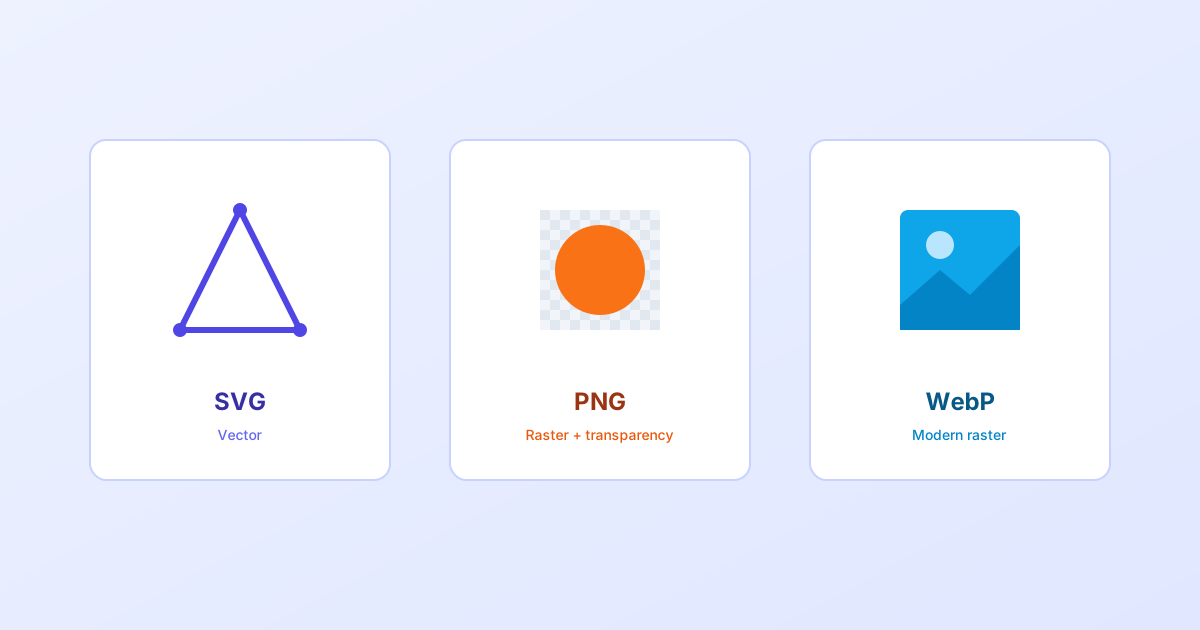
“Just export it as a PNG” is the default a lot of people reach for without thinking much about it, and for plenty of images, that’s a fine choice. For plenty of others, it’s leaving real file size on the table, or using a format that can’t do what the image actually needs. This guide compares SVG, PNG, and WebP directly: what each one is actually built for, a straight side-by-side comparison, and a simple way to decide between them for a specific image rather than defaulting to the same format every time.
- SVG is the only one of the three that's resolution-independent. The others are pixel grids at heart.
- WebP is now the strongest general-purpose raster default for most images that aren't vector graphics.
- PNG still has a real, specific role: broad compatibility and simplicity, not necessarily smallest file size.
The quick comparison
| SVG | PNG | WebP | |
|---|---|---|---|
| Type | Vector | Raster | Raster |
| Best for | Icons, logos, illustrations, UI graphics | Screenshots, flat-color graphics needing transparency | Photos, and general-purpose raster images needing small file sizes |
| Scales without quality loss | Yes | No | No |
| Transparency support | Yes | Yes | Yes |
| Animation support | Yes (CSS, SMIL, or JS) | No | Yes |
| Typical size for photos | Not suitable | Large | Small |
| Typical size for simple icons | Very small | Moderate | Not typically used for this |
| Editable as code/markup | Yes | No | No |
| Modern browser support | Universal | Universal | Universal (all current major browsers since roughly 2020) |
SVG: the only vector option here
SVG is fundamentally different from the other two. It’s covered in full depth in our guide to what SVG actually is, but the short version for this comparison: it stores images as shapes rather than pixels, which means it scales to any size with zero quality loss and can be styled or animated with ordinary CSS and JavaScript, since it’s just structured markup.
That advantage is also its limit. SVG is excellent for icons, logos, and illustrations made of clean geometric shapes, and it’s the wrong tool entirely for a photograph or anything with continuous, complex color variation. There’s no small set of shapes that can efficiently describe that kind of detail.
PNG: reliable, but not usually the smallest anymore
PNG’s core strength has always been lossless quality with real alpha transparency, and full, always-worked-everywhere browser support with no caveats of any kind, ever. It remains a completely safe default for a screenshot, a flat-color graphic, or anything needing sharp-edged transparency where file size isn’t the top priority.
What’s changed is that PNG is no longer usually the smallest way to get that result. For most images that would traditionally be a PNG, WebP now produces a meaningfully smaller file with equivalent or very similar visual quality, which is the entire reason WebP exists in the first place.
WebP: the modern general-purpose default
WebP supports both lossy compression (like JPEG, for photos) and lossless compression with real transparency (like PNG, for graphics), in a single format, and it does both jobs in a smaller file than the older format it’s replacing, in the large majority of cases. It also supports animation, functioning as a genuinely better-compressed alternative to an animated GIF.
The historical objection to WebP, inconsistent browser support, is outdated at this point. It’s been supported in every current major browser, including Safari, since around 2020, which means for a typical modern project, there’s no meaningful compatibility reason left to avoid it as a default for raster images.
A decision tree for picking the right one
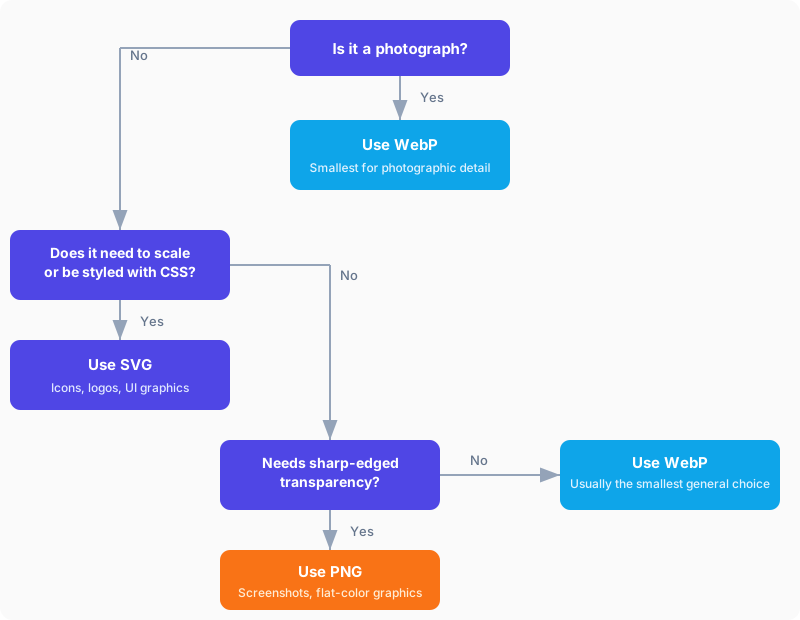
Written out as a checklist instead:
- Is it a photograph, or does it have continuous, complex color and tone? Use WebP.
- Does it need to scale cleanly to many sizes, or be styled and animated with code? Use SVG.
- Does it need sharp-edged transparency and broad, no-caveat compatibility matters more than file size? Use PNG.
- None of the above? WebP is usually still the smallest general-purpose choice.
Common mistakes worth avoiding
Exporting a logo or icon as PNG by default. If the source is a clean vector shape, exporting straight to PNG throws away resolution independence for no real benefit. SVG covers every size a PNG export would have needed, in one file.
Trying to force a photograph into SVG. Tracing a photo into vector paths produces either an enormous file or an image that doesn’t actually resemble the original. That’s a job for WebP or JPEG, not SVG.
Sticking with PNG purely out of habit. For images that aren’t vector graphics, WebP is worth defaulting to at this point rather than PNG, unless there’s a specific, real reason (unusual tooling, a hard compatibility requirement) to stay with the older format.
Converting between formats when you need to
Sometimes the right format for a source asset isn’t the right format for every place it’s used. A vector logo still occasionally needs a rasterized PNG for a context that can’t render SVG (an email client, certain social platforms, some CMS upload fields). An SVG to PNG Batch Converter handles exporting a whole set of icons to PNG at consistent sizes in one pass rather than one at a time.
Going the other direction: a logo that only exists as a raster image or scan, with no vector source available. An Image to SVG Converter can trace it into real vector paths, though it works best on simple, high-contrast source images rather than photographs, for the same reason covered above.
The short version
None of these three formats is universally “best.” Each one is the right answer to a different question. SVG wins when an image is made of clean shapes and needs to scale or be styled with code. WebP is the strongest modern default for photographs and most other raster images where file size matters. PNG remains a safe, simple choice when broad, no-caveat compatibility matters more than squeezing out the smallest possible file. Picking based on what a specific image actually is, rather than defaulting to the same format every time, is most of what there is to get right here.